Social Proof for a New Shopify Store With Zero Reviews
No orders yet? Here is the honest social proof a new Shopify store can show from day one, which trust signals to add first, and which fake tactics to avoid.
A brand-new store has no customers to quote, so the useful question is not "how do I show lots of reviews" but "what can I truthfully show a stranger before anyone has bought". This guide covers exactly that: the social proof on Shopify you can put in place with zero orders, ranked by how honest and how much work each one is, plus the tactics that look like social proof but put your store at legal and reputational risk.
The short answer: a store with no reviews earns trust by proving it is a real business first, then adding honest evidence about the product. On day one:
- Publish complete, accurate return, shipping and privacy policies.
- Add a contact page with an email you answer and a response time you keep.
- Show honest delivery windows next to the add-to-cart button.
- Write a short founder note and use your own product photos.
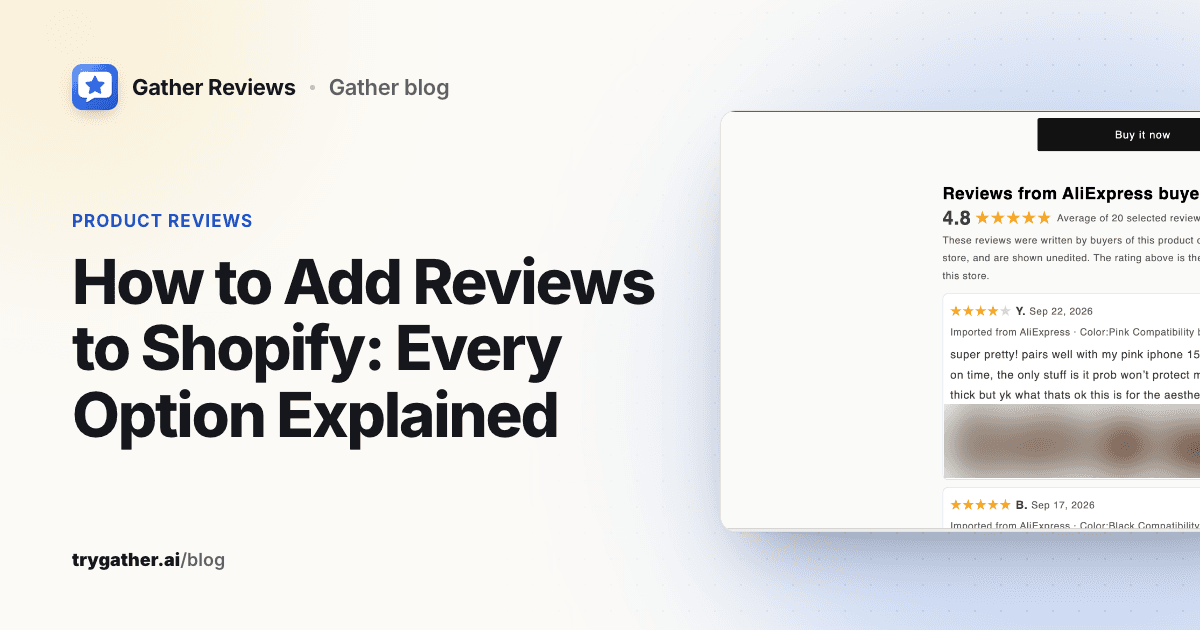
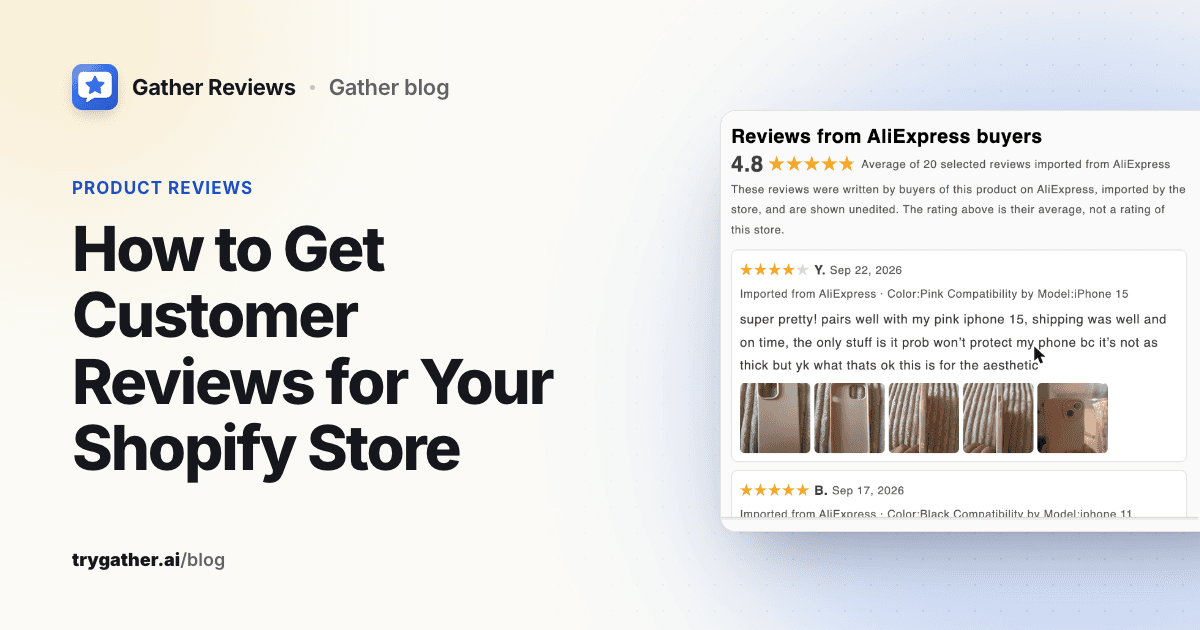
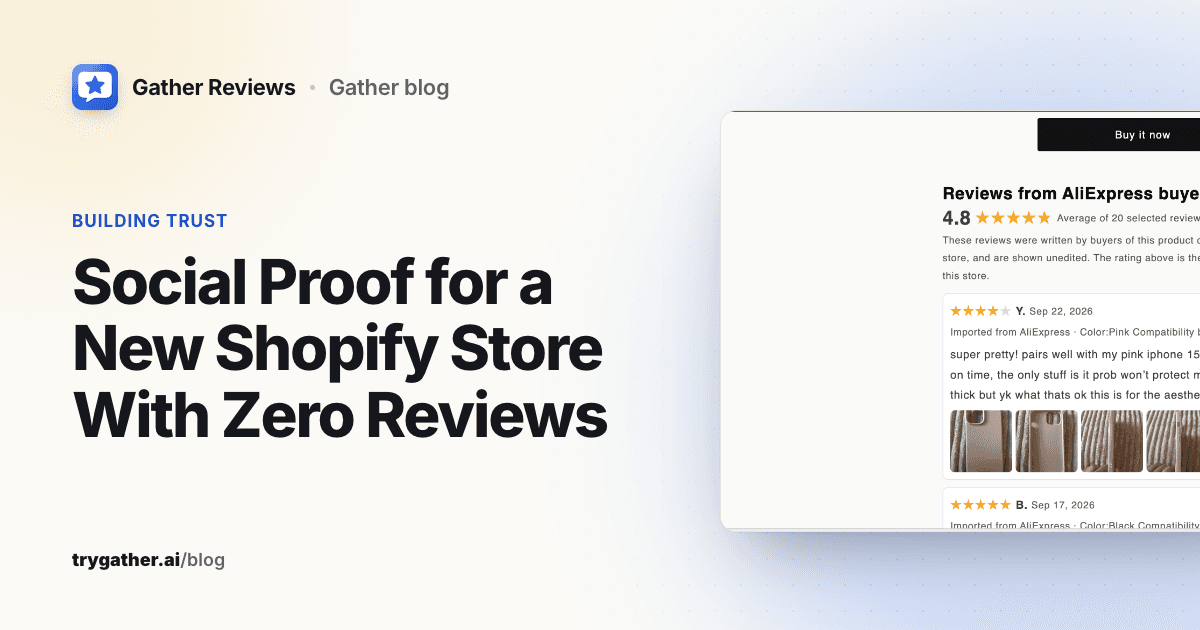
- If you sell the identical item a supplier lists, show that listing's buyer reviews unedited and clearly labelled with their source.
- Ask every customer for a review a few days after delivery, and never use invented popups, counters or testimonials.
Why a new store struggles with trust
Put yourself in the shopper's seat. They arrived from an ad, a search result or a social post, and they have never heard of you. Before they type in a card number they are silently asking three questions:
- Is this a real business? If something goes wrong, is there someone to contact, and will they answer?
- Is the product what the page says it is? Size, material, finish, whether it actually works.
- What happens if it goes wrong? Late delivery, wrong item, a return.
Established stores answer the second question with a pile of customer reviews and let the first and third answer themselves through brand recognition. You have neither. That is the real gap, and it is why copying a big store's review-heavy product page does not work on day one: the element doing the work on their page is the one you don't have yet.
The good news is that questions one and three do not need any sales at all to answer. Question two needs evidence about the product, and that evidence can come from more places than your own order history.
Social proof types, ranked by honesty and effort
Not all social proof is equal. Some of it is evidence (a real person's experience), some of it is signalling (a sign that a real business is present), and some of it is theatre. Here is how the common types compare for a store with no orders.
| Type | Available with zero orders? | Honesty risk | Effort | Notes |
|---|---|---|---|---|
| Clear policies, contact details, delivery times | Yes | None | Low | Answers "is this real?" and "what if it goes wrong?" |
| Founder story and About page | Yes | None if true | Low | A named person and a reason the store exists |
| Your own product photos and video | Yes, once you have a sample | None | Medium | Shows the product is real and in your hands |
| Supplier-listing reviews for the identical product, labelled | Yes, if you sell that exact item | Low when labelled and unedited, high if not | Low | Evidence about the product, not about your store |
| Creator or press mentions you earned | After outreach | None if unpaid, or disclosed if paid | Medium to high | Third-party opinion carries weight |
| Your own customer reviews | After first deliveries | None | Ongoing | The best proof, and the goal |
| Real-time sales popups | Only with real orders | High if any event is invented | Low | Useless or misleading before you have sales |
| Fake counters, invented testimonials, fake reviews | Never | Deceptive | Low | Can break the FTC's rule and destroys trust when spotted |
Read the table top to bottom and a sequence falls out: start with what you control, add product evidence, then earn outside opinions and your own reviews. Skip the bottom two rows entirely.
Trust signals to add today, with zero orders
The cheapest social proof wins for any ecommerce store are the ones that do not depend on anyone else. Treat this as a checklist.
- Complete store policies. Return, privacy, terms of service and shipping policies, written for your actual process. Shopify can generate templates in the admin (Shopify Help: add store policies), but edit them. A template that says "30 days" when your supplier only takes returns for 15 is worse than no policy.
- A contact page with a real way to reach you. An email address you answer, and a response time you can keep ("we reply within one business day"). Shopify's help centre explains how to add a contact page. If you have a business address you are comfortable publishing, add it.
- Honest delivery windows on the product page. If an item ships from overseas and takes two to three weeks, say so above the add-to-cart button, not only in the policy. Surprise delays generate the refund requests and bad reviews that a new store can least afford.
- A founder note. Two or three short paragraphs: who you are, why you picked these products, what you check before listing something. A photo of a real person helps. This is not fluff. It answers "is anyone behind this?" directly.
- Your own photos and a short video. Order a sample, photograph it on a plain background and in use, and film 20 seconds of it being handled. Supplier photos can appear on many other stores, and shoppers may recognise them. Your own media proves you have seen the product.
- Specific product details. Measurements, materials, what's in the box, care instructions. Vague copy reads like a store that hasn't touched the product.
- Visible, working basics. A consistent logo and name, no placeholder text, no broken links, a real domain rather than the default myshopify.com address.
None of this looks like classic social proof, but it does the same job: it reduces the shopper's uncertainty about you. For a store with no reviews, that job matters more than any widget.
Supplier reviews for the identical product: when that's honest
If you source a product from AliExpress or Amazon, buyers on that listing have already reviewed it. Their experience with the item is real evidence about the item, and it is fair for your shoppers to see it, when three conditions hold:
- It is the identical product. Same item, same variant, same supplier listing. Not "a similar case", not "the same style from a different factory". Reviews of a different product describe a different product, and presenting them as evidence for yours misleads shoppers.
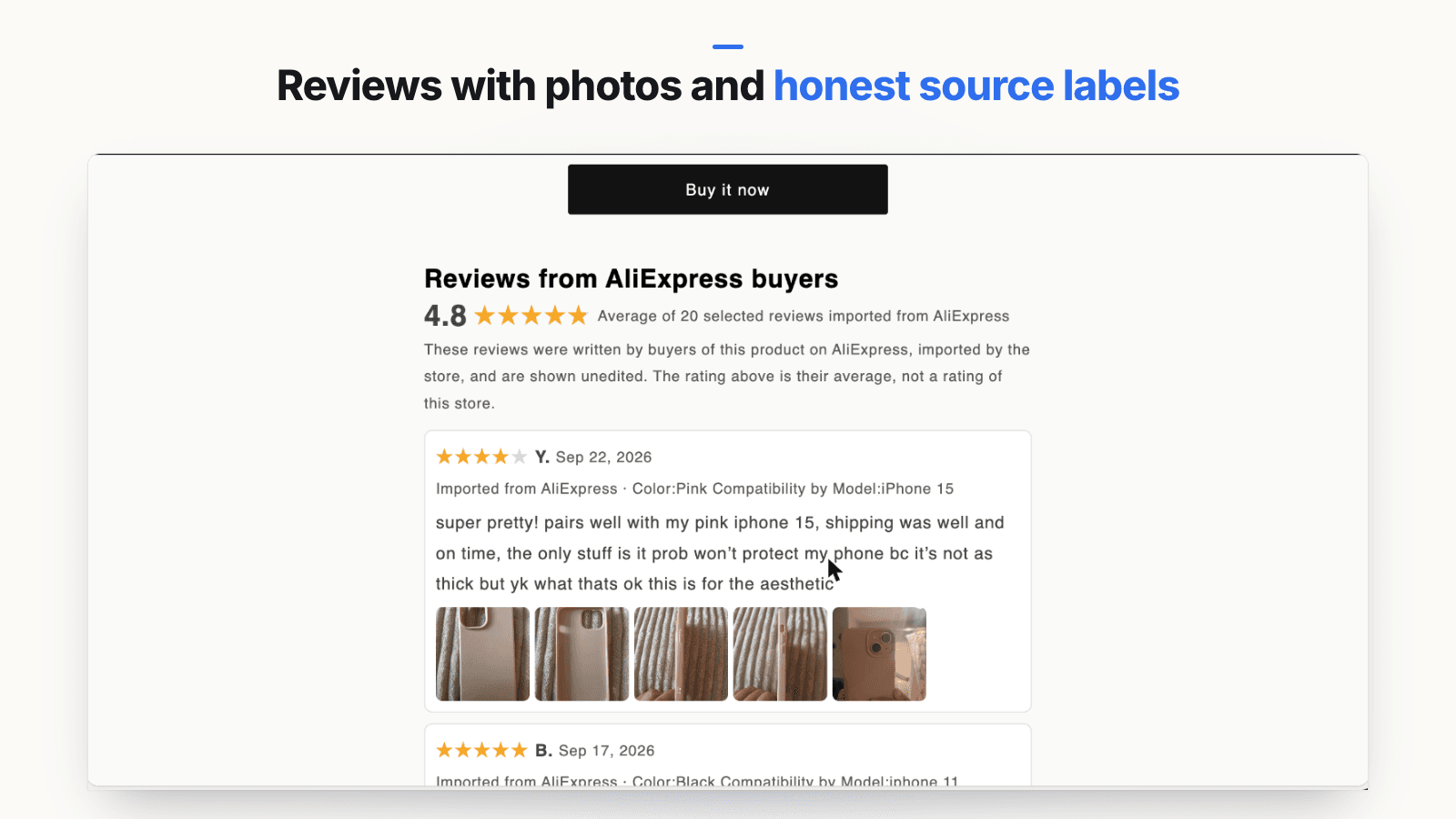
- Every review is shown unedited and labelled with its source. The shopper should be able to tell at a glance that a review was written by an AliExpress or Amazon buyer, not by a customer of your store.
- The summary rating is described accurately. An average of imported reviews is not your store's rating. Say what it is.
The FTC's guidance for sites that feature reviews says businesses should "clearly and conspicuously disclose how you collect, process, and display reviews, and how you determine overall ratings" (FTC: Featuring Online Customer Reviews). The same guide warns against excluding negative reviews or featuring positive ones more prominently. So when you import, resist the urge to keep only five-star reviews. A handful of honest three- and four-star reviews with specific comments ("runs small", "colour is darker than the photo") is more believable and sets expectations that prevent returns.
You also need to respect each marketplace's own terms. Read them before you import, and don't use marketplace logos to imply an endorsement.
How to do it by hand
You can do this without any app. Pick five to ten reviews from the supplier listing that describe the product in detail, including at least one that mentions a drawback. Copy each one word for word, keep the reviewer's initial rather than their full name, and add them to a section on the product page under a heading like "What buyers said on AliExpress". Add one sentence underneath: "These reviews were written by buyers of this product on AliExpress and are shown unedited. They are not reviews of our store." Link photos only if you have the right to reuse them.
The manual route is fine for a few products. It gets tedious once you have more, and it's easy for labels to drift or disappear when you change themes.
Using an importer app
Review importer apps automate the fetching. Many exist on the Shopify App Store; Judge.me, Ali Reviews, Ryviu and Loox are well-known review apps, and several offer AliExpress import alongside collecting your own reviews. Check how each one labels imported reviews and whether it lets you present them as your store's own, because that setting is where the honesty risk sits.
Gather Reviews is our option, and it is new. It imports reviews from the AliExpress listing you source from (and from Amazon on paid plans), lets you filter by stars, photos and language, and shows a preview before anything is published. It is built around the three conditions above: you have to confirm the listing is the same product you sell; every review is shown unedited with an "Imported from AliExpress" or "Imported from Amazon" label, and any marketplace translation is labelled as such with the original one click away; the storefront heading reads "Reviews from AliExpress buyers"; and the summary says what the number is ("Average of N selected reviews imported from AliExpress"), with a disclosure that it is not a store rating. Because the summary says "selected", it also nudges you toward the advice above: pick a representative mix, not only five-star reviews. It also does not write Shopify's standard product rating fields, so imported ratings are not passed off to your theme or to search engines as your store's own rating.
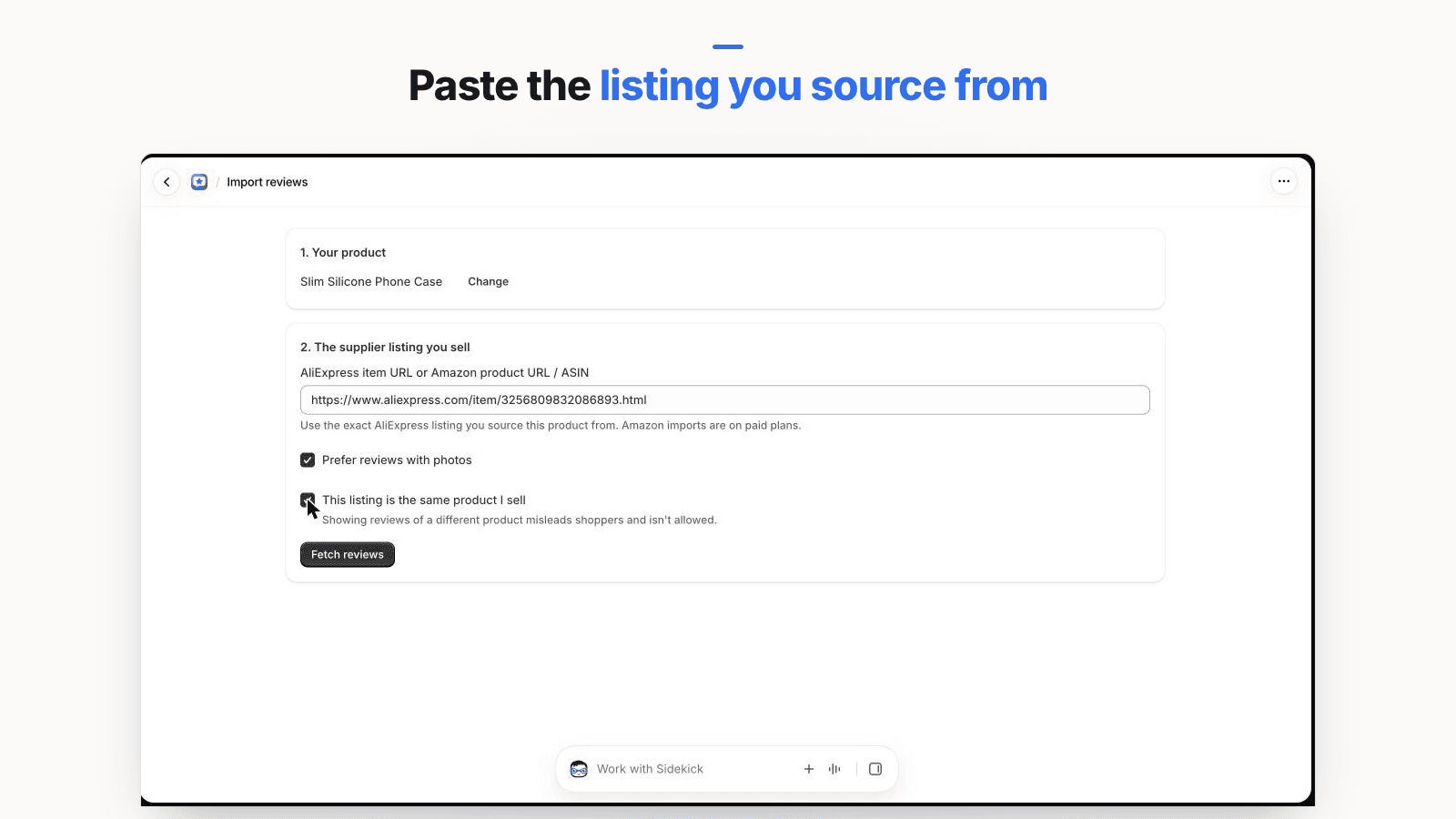
For a step-by-step walkthrough of the options, including Shopify's theme blocks and review apps, see how to add reviews to Shopify.
Choosing a social proof app for a new store: what to check
Search the Shopify App Store for social proof and you will find sales popups, review apps and trust badge apps side by side. Before installing any of them on a store with no orders, check four things:
- Does it show only real events? A popup or counter should read from your actual orders and inventory. If it can display sample or custom activity, make sure that is switched off.
- Is imported content labelled? If the app imports marketplace reviews, each one should show its source, and the summary should not read as your store's rating.
- What does it write to your store? Some review apps write product rating fields or structured data that themes and search engines treat as your own rating. For imported reviews, that can overstate your track record.
- What does it cost in page speed? Each app that adds scripts or widgets to the storefront can slow product pages. Test a product page before and after installing.
What to avoid: fake sales popups, counters and testimonials
Some of the most heavily promoted Shopify social proof tools are harmless with real data and deceptive without it. A new store, by definition, has no real data for them.
Fake "someone just bought" popups. A notification saying "Sarah in Leeds bought this 3 minutes ago" is only acceptable if Sarah exists and did. Some popup apps let you create custom or sample notifications. Don't use that to show purchases that never happened. Shoppers who see the same "recent purchase" twice, or a purchase of an item that is out of stock, stop trusting everything else on the page.
Fake stock and visitor counters. "Only 3 left" that never changes, or "27 people are viewing this" on a store that gets 30 visitors a day, is manufactured urgency. Misleading claims like these can be deceptive under the FTC Act's general ban on deceptive practices, and the FTC staff report Bringing Dark Patterns to Light specifically covers false scarcity claims (such as countdown clocks that reset or stock claims that aren't true) and false activity messages.
Bought followers and views. A separate point: the FTC's rule on reviews and testimonials prohibits buying or selling fake indicators of social media influence, such as bot-generated followers or views, when used to misrepresent a business's importance (FTC announcement of the final rule). Don't pad your store's social accounts to look established.
Invented testimonials and reviews. The same FTC rule, in effect since October 21, 2024, covers reviews and testimonials by people who don't exist (including AI-generated ones), by people who had no real experience with the product, or that misrepresent the reviewer's experience, and courts can impose civil penalties for knowing violations (FTC Q&A on the rule). "Loved it! – Jessica M." written by you is exactly that. So is quietly moving a supplier review onto a different product. We cover the rule in more detail in our guide to the FTC fake review rule for ecommerce.
Earning your first real reviews
Supplier reviews speak for the product. Only your customers can speak for your store: how fast it shipped, how you handled a problem, whether the packaging arrived intact. Start collecting from the very first order.
- Ask after delivery, not after purchase. A request that lands before the parcel does gets ignored or earns a complaint. Time it for a few days after the expected delivery date.
- Ask everyone, not just happy customers. Selecting only the people you think will leave five stars skews your ratings. The FTC's guide for marketers says plainly: "Don't ask for reviews only from customers you think will leave positive ones" (FTC: Soliciting and Paying for Online Reviews).
- Make photos easy. A single photo from a real customer is more persuasive than a paragraph. Ask for one in the request.
- Incentives only if they don't depend on sentiment. A small thank-you for leaving any review, disclosed, is very different from a discount for a five-star review. The FTC rule prohibits incentives conditioned on a particular sentiment.
- Reply to every review, including the critical ones. A calm, specific reply to a three-star review is itself social proof: it shows a person is behind the store.
Our guide on how to get customer reviews on Shopify goes through request timing, email wording and the apps that automate it.
Beyond reviews, earn a few outside mentions. Send the product to three to five people with a real audience in your niche and ask for an honest opinion, with no script and no promise of a positive post. If they post, the relationship must be disclosed, and the FTC's endorsement guides FAQ explains what that means in practice. A local paper, a niche newsletter or a podcast can also be pitched with the founder story you already wrote. Show any mention you earn, linked to the original, and never imply coverage that didn't happen.
Swapping imported reviews for your own over time
Treat supplier reviews as a bridge, not the destination. A simple way to plan the handover, with example numbers only to illustrate:
- Launch: product page shows your own photos, clear delivery times, and a labelled section of, say, 15 to 20 supplier reviews from the identical listing, including some mixed ones.
- First customer reviews arrive: show your own reviews in their own section, above the imported ones, under a heading like "Reviews from our customers". Keep the two visibly separate. Never merge them into one average.
- Your own reviews carry the page: once a product has a solid set of detailed reviews from your customers (you decide the threshold; five to ten detailed ones is a reasonable starting point for a small store), hide or remove the imported section for that product.
- Supplier changes: if you switch suppliers or the supplier changes the product, remove the imported reviews immediately. They no longer describe what you sell.
Review the list once a month. Products that sell well will graduate quickly; slow sellers may keep a labelled supplier section for longer, which is fine as long as the labels stay.
If you also compete on price with other stores selling the same item, your pricing is part of the trust picture too. A price far below the obvious market rate can itself make shoppers suspicious. Our guide on how to price dropshipping products covers that side.
Putting it together: a day-one product page
Here is what an honest product page looks like for a store with zero orders, top to bottom:
- Your own photos and a short video of the product.
- Specific description with measurements, materials and what's in the box.
- Delivery window and returns summary next to the add-to-cart button, linking to the full policies.
- A labelled reviews section from the supplier listing of the identical item, unedited, with a mix of ratings and a line explaining what the rating means. Skip it if you don't sell an identical item.
- A short founder line or link (for example, "Picked and tested by [your name], who runs this store from [your town]").
- Footer with contact details, policies and any press or creator mentions you have earned.
Everything on that page is true, and all of it can be in place before your first sale. As orders arrive, your own reviews replace the borrowed ones, and the page earns its trust instead of borrowing it.
Frequently asked questions
What are examples of social proof for an online store?
Customer reviews and star ratings, photos or videos from real buyers, press coverage, posts by creators who actually used the product, an active and responsive social account, and visible signs that a real business is behind the store, such as a named founder, a physical or registered address and a clear returns policy. For a store with no orders yet, the last group matters most because it does not depend on sales.
How do I get social proof for a brand-new Shopify store?
Start with the trust signals you control today: complete policies, real contact details, honest delivery times, a founder page and your own product photos. Then earn outside proof: send product to a few people who will give an unscripted opinion, pitch a small publication or newsletter, and ask your first customers for reviews after delivery. If you sell the identical product a marketplace supplier lists, you can show that listing's reviews, as long as every one is clearly labelled with where it came from.
Are sales popups and live visitor counters allowed on Shopify?
Apps that show them are available, and they are fine when the data is real. The problem is invented activity: made-up purchases, fake visitor counts or stock counters that never change. Those misrepresent what is happening in your store. The FTC's staff report on dark patterns lists false scarcity claims and false activity messages among the practices it considers deceptive, and its rule on reviews and testimonials bans fake reviews. If you use a popup, make sure every event it shows actually happened.
Is it legal to show AliExpress or Amazon reviews on my Shopify store?
It can be, with conditions. Showing reviews from the supplier listing can be honest if the product is exactly the same item, the reviews are not edited, and each one says it was written on AliExpress or Amazon rather than in your store. Presenting them as your own customers' reviews, or attaching them to a different or similar product, would mislead shoppers. You are also responsible for following each marketplace's terms; Amazon review text, for example, is subject to Amazon's Conditions of Use. This is general information, not legal advice.
How many reviews does a new store need before it looks trustworthy?
There is no magic number, and we are not aware of a reliable study that sets one for small stores. A shopper is weighing whether the business is real and the product is as described. A few detailed reviews with photos, plus clear policies and contact details, usually answer that better than a large count with no detail.